
The Resolution Bottleneck of Generative AI
The true test of a digital video file does not happen on a mobile screen; it happens when that file is stretched across a large high-definition monitor or a commercial theater screen. When a 720p file generated by an artificial intelligence platform is scaled up using traditional bicubic interpolation, the margins of the frame immediately break down. Pixels stretch, fine lines blur, and the file falls straight into an unwatchable visual mess.
To achieve clean, professional 4K output, independent filmmakers, visual effects artists, and digital agency operators use specialized AI upscaling software. Unlike basic resizing scripts, an AI upscaler uses deep learning models to predict and reconstruct the missing structural data. The software paints new pixels into the frame using context clues from surrounding textures.
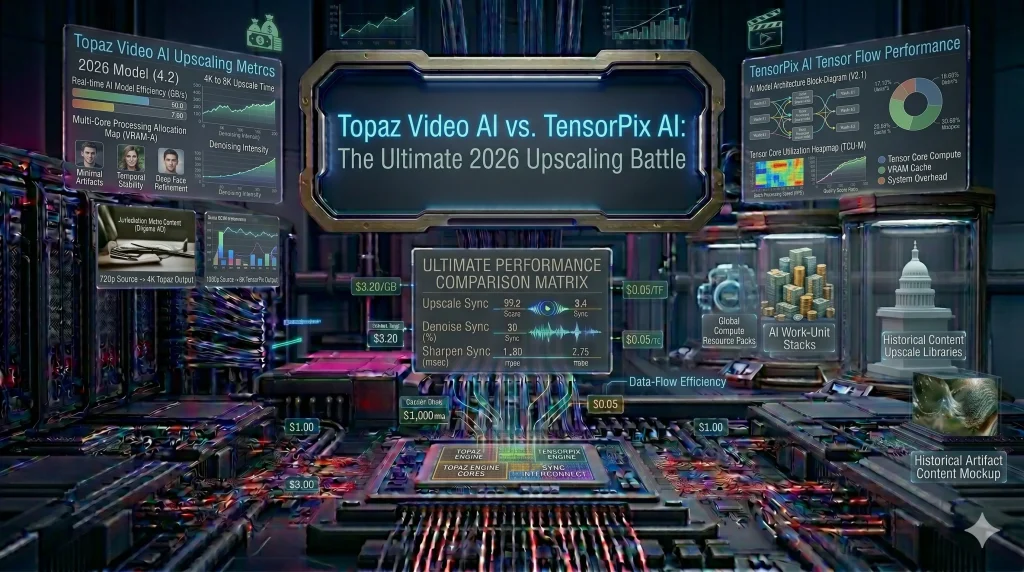
In mid-2026, the market for professional enhancement is split between two completely different processing models: Topaz Labs’ Video AI (the industry standard for local desktop rendering) and TensorPix AI (the leading cloud-based web upscaler).
Choosing the right ecosystem for your video workflow requires a clear, technical look at hardware constraints, model accuracy, and total cost of ownership.
1. Topaz Video AI: Uncompromised Desktop Hardware Domination
For production studios that demand absolute control over every pixel, Topaz Video AI remains the definitive gold standard. Because it operates as a local standalone application on Windows and macOS, it bypasses the internet speed bottlenecks and file compression limits of web-based engines.
Specialized Neural Models
Topaz does not rely on a single, catch-all algorithm. Instead, it features a highly specialized library of trained models tailored to specific visual problems:
- The Proteus and Artemis Models: Engineered specifically to clean up digital compression artifacts, eliminate low-light sensor noise, and sharpen fine details like human hair, fabric weaves, and distant architectural texturing.
- The Themis and Chronos Models: Dedicated to motion stabilization and Motion Interpolation (frame rate conversion). If you generate a cinematic AI clip at 24 frames per second (fps) but need a smooth 60fps slow-motion sequence, Topaz calculates and injects new intermediate frames with flawless timing, eliminating any stuttering or visual glitches.
The Hardware Tax
The biggest drawback of Topaz Video AI is its intense system requirements. Because all computing occurs locally, rendering a 4K upscale uses an immense amount of graphic processing unit (GPU) power. Running a deep multi-pass upscale on a standard office laptop can take hours for a single short clip, making a dedicated, high-tier workstation an absolute necessity.
2. TensorPix AI: Browser-Based Cloud Scaling for Agile Pipelines
For independent creators, social media managers, and mobile-first developers who do not own a high-end desktop editing computer, TensorPix AI offers an incredibly fast, server-side alternative.
The Cloud Processing Engine
TensorPix operates entirely within your web browser. When you upload a raw video file, the heavy computational work is handled by cloud-based GPU servers.
[Low-Res Video Upload] ---> (TensorPix Cloud Server Array) ---> [Processes via Web-GPU]
                                                                       |
  Download Production-Ready 4K Asset <---------------------------------+
This architecture means you can easily initiate a batch upscale of ten clips simultaneously from a lightweight laptop, close the browser window, and return later once the cloud render is complete.
Processing Algorithms & Web Control
TensorPix utilizes highly effective web-optimized versions of open-source enhancement models like Real-ESRGAN alongside custom de-interlacing filters.
- The Workflow Speed: It handles background noise removal, edge sharpening, and 4K scaling smoothly, making it highly effective for preparing daily vertical content assets like Instagram Reels or YouTube Shorts.
- The Precision Trade-off: However, because files must be uploaded and downloaded across the web, TensorPix introduces subtle video compression during the transfer process to save bandwidth. For visual effects compositing plates where zero data loss is a non-negotiable requirement, this cloud compression can occasionally scrub away micro-level film grain textures.
3. Head-to-Head Technical Audit Matrix
To help your platform visitors make an immediate software choice for their media network, we can compare both processing platforms side-by-side:
| Evaluation Dimension | Topaz Video AI (Standalone) | TensorPix AI (Cloud-Based) |
| Operational Architecture | Local processing (Requires native app installation). | 100% Web-Browser based cloud execution. |
| Maximum Resolution Target | Deep upscaling up to 16K cinematic master resolutions. | High-definition upscaling up to 4K resolutions. |
| System Resource Dependency | Extremely heavy reliance on local GPU and VRAM. | Zero local hardware load; runs on any device. |
| Batch Processing Flow | Sequential rendering limited by local hardware limits. | Parallel batch processing handled simultaneously in the cloud. |
| Core Monetization Model | Single standalone tool license (~$33–$37/Month billed annually). | Tiered credit subscription plans (Elite tiers sit at $66/Month). |
To see how these upscaling workflows fit into a comprehensive content creation schedule, review our step-by-step master plan: The 12-Month Roadmap to Building a High-Revenue Media Empire
FAQ Section: Mastering Video Upgrades
Q: Does upscaling an AI-generated video introduce synthetic distortions or hallucinations?
A: If the enhancement sliders are pushed too high, yes. Excessive sharpening or over-aggressive facial restoration models can create an plastic, overly smooth texture that drops the footage straight into the Uncanny Valley. For the most natural, human-first look, keep your denoising values balanced and retain a fine layer of original film grain.
Q: Can these tools restore highly corrupted, blurry footage from an old security camera?
A: They can dramatically improve clarity, fix interlacing lines, and sharpen edge silhouettes. However, if a source video is so blurry that key details like individual letters on a license plate are completely missing, an AI tool cannot accurately guess the exact numbers without a risk of hallucinating false data.
Q: Is a cloud-based upscaler safe for processing confidential legal or corporate videos?
A: Local software like Topaz Video AI is significantly more secure for sensitive data because your files never leave your physical hard drive. If you choose a cloud platform like TensorPix for corporate work, verify that their data privacy guidelines include automated server-side file deletion policies and end-to-end encryption standards.
Conclusion: The Final Review Verdict
Your choice between these two powerful enhancement ecosystems depends on your budget, pipeline speed, and hardware availability:
Choose Topaz Video AI if you are a professional filmmaker, archivist, or visual effects artist who demands uncompromised image data, custom model tuning, and extreme high-resolution upscaling up to 8K/16K. It is the absolute industry benchmark for creators who own a high-performance desktop editing workstation.
Choose TensorPix AI if you are a content strategist, social media manager, or remote creator who needs fast, cloud-driven workflow speeds without investing in expensive local computer hardware. Its parallel processing model makes it the ultimate option for turning out clean, high-definition web assets on a daily production cycle.
To learn how courts and forensic investigators analyze upscaled media files for structural integrity under modern evidence laws, read our guide on The Uncanny Valley of Evidence: Why AI Video Fails in Legal Scrutiny.